What is a crypto trading journal?
A coin-level record with size, fees, optional leverage, and a note — so 24/7 P&L is reviewed by coin and setup, not only on the exchange balance screen.

Crypto
BTC and alts on a 24/7 calendar, with leverage on the trade when you use it — then fee drag and overtrading show up in coin reports instead of in an exchange CSV pile.
Free forever planNo cardWeb, iOS & Android
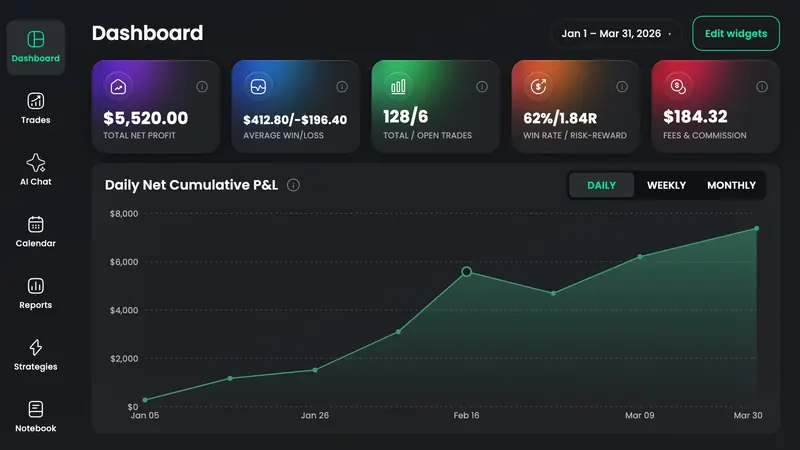
A crypto trading journal is the book that sits next to the exchange: coin, size, optional leverage, fees, and a note on narrative or funding — so 24/7 sessions have a review, not just a balance. TradeReview logs crypto by hand on Free (including leverage), accepts Alpaca, Webull, cTrader, TradingView paper, MT4/MT5, and generic CSV on paid plans, and Auto Syncs Alpaca or cTrader on Pro. It is not a Binance, Coinbase, or Bybit connector yet.
When you size a leveraged position, the field is on the fill so later stats are not “spot BTC” mixed with 10x by accident.
Alpaca and cTrader Auto Sync on Pro; Webull, TradingView paper, MT4/MT5, and generic CSV on Basic and Pro. If your venue is only on Binance or Bybit, type or CSV — do not expect a fake sync.
Net P&L after fees, then symbol reports so a high-turnover alt is not hiding behind one BTC winner.
24/7 sessions: weekend dumps, Sunday gaps, and the hours you overtrade after funding prints.
ETF-flow days, unlocks, funding squeezes — fills do not record those. Tags and notebook notes do.
Same journal if you rotate. Filter when you want a coin-only review so an equity day does not flatten BTC stats.
Auto Sync Alpaca or cTrader on Pro, or upload Webull / TradingView paper / generic CSV on Basic. Everything else — including most coin exchanges — is still typed, with leverage if you used it.
Breakout versus range versus narrative. BTC and a low-cap alt should not share a nameless bucket in the same report.
24/7 day/time and symbol reports show fee drag, late-session revenge size, and leverage that only looks fine on the exchange screen.
Typing coins — including leverage — is free. You pay for Alpaca/cTrader sync or CSV, not for a Binance API we do not have.
Auto Sync
Pro plan · fills arrive on their own
File / CSV import
Basic and Pro · upload an export
Every crypto-market broker TradeReview lists today. Import method varies by broker — the brokers page shows whether yours uses file import or Auto Sync.
A coin-level record with size, fees, optional leverage, and a note — so 24/7 P&L is reviewed by coin and setup, not only on the exchange balance screen.
Yes. Keep them in one journal and filter when you want a crypto-only review.
Fee columns, leverage, and a market that never closes break most sheets. A journal keeps notes on the trade and calculates win rate and drawdown after import.
Before the trade
Size the leveraged coin position you will journal — then log the fill, not the plan.
Still deciding
Price versus TradeZella and TradesViz if you already know we do not sync Binance — September 2026.
IB, Webull, and TradeZero imports — day trades and swings in one book.
Open →Iron condors as one trade; Call/Put and DTE reports. No Greeks engine.
Open →ES/NQ multipliers, Tradovate and Topstep uploads, RTH vs overnight.
Open →Lots, swap, MT5 Auto Sync, London open vs NY overlap.
Open →A first-class trade type alongside every other market.
Open →Leverage is free to type. Import is Alpaca, Webull, cTrader, or CSV — say so up front.