What is a forex trading journal?
A pair-level record with lots, swap, commissions, session, and setup so you can measure EURUSD versus a cross by London or New York hours — not only by the MT5 history tab.

Forex
EURUSD scalps and swing trades on crosses in one book — lots, units per lot, and swap on the fill — then London open versus New York overlap in the day/time report.
Free forever planNo cardWeb, iOS & Android
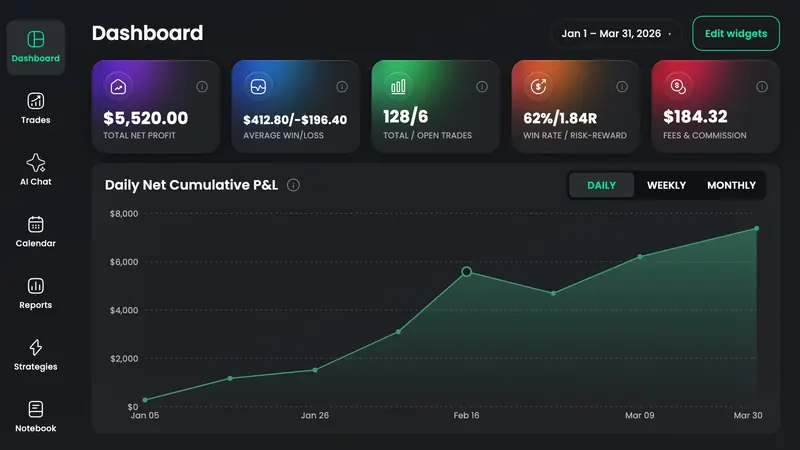
A forex trading journal records each currency-pair trade with lots, units per lot, swap, commissions, session, and setup so you can see whether EURUSD at London open is a different book from a weekend gap on a cross. TradeReview stores those FX fields on the trade, Auto Syncs MetaTrader 5 and TradeLocker on Pro, and accepts MT4/MT5 HTML uploads on Basic and Pro.
FX-specific fields sit next to entry, exit, and commissions so pair P&L is not a pip count you convert later.
Pro pulls live and demo MT5 accounts, plus TradeLocker. Basic and Pro still take MT4/MT5 HTML reports when you are not ready to sync.
Keep EURUSD scalps out of GBPJPY swings. Pair reports plus strategy tags so the book splits the way you actually trade.
Day/time reports and a calendar for the two windows most FX day traders care about — not a US cash-session grid.
Notebook plus tags for CPI, NFP, and the impulse you should have skipped. Fills alone do not explain those days.
Free position-size and risk/reward calculators using the stop you will journal — then log the actual lot size, not the planned one.
Connect MetaTrader 5 or TradeLocker on Pro, or export MT4/MT5 history and upload on Basic. Typing lots by hand stays free.
Tag major versus cross, London versus NY, and the playbook. A 0.2-lot EURUSD scalp is not a 1.0-lot swing on a minor.
Pair and hour reports show which combinations survive swap and commissions. Size the ones that do; stop repeating the ones that do not.
Typing lots and swap is free. You pay to stop exporting MT4 HTML every Sunday.
Auto Sync
Pro plan · fills arrive on their own
File / CSV import
Basic and Pro · upload an export
Every forex-market broker TradeReview lists today. Import method varies by broker — the brokers page shows whether yours uses file import or Auto Sync.
A pair-level record with lots, swap, commissions, session, and setup so you can measure EURUSD versus a cross by London or New York hours — not only by the MT5 history tab.
Yes. MT5 Auto Sync for live and demo is on Pro. MT4 and MT5 HTML report upload is on Basic and Pro. Broker pages and the MT5 docs have the steps.
MT4 is file upload only (Basic/Pro). There is no MT4 Auto Sync. Export history and import it.
Yes. One journal can hold FX plus other markets. Filter when you want a pair-only review so a stock day does not distort EURUSD stats.
Before the trade
Lot size from the stop on the pair you will journal after London or New York.
Still deciding
MT5 sync and price versus TradeZella and TradesViz — last checked September 2026.
IB, Webull, and TradeZero imports — day trades and swings in one book.
Open →Iron condors as one trade; Call/Put and DTE reports. No Greeks engine.
Open →ES/NQ multipliers, Tradovate and Topstep uploads, RTH vs overnight.
Open →24/7 calendar and a leverage field. No Binance or Bybit sync yet.
Open →A first-class trade type alongside every other market.
Open →Lots and swap are free to type. Auto Sync is the upgrade when Sunday exports slip.