
The best free trading journal is not the longest feature list with a $0 badge. Most “free” journals are one of three things: a real forever plan with honest limits, a 30-trade-a-month teaser, or a 7-day trial wearing a free label. Mixing those in a top-12 table is how you pick a demo and quit journaling in week two.
This page is only about cost. First, what “free” has to mean. Then six options you can actually start on tonight: a spreadsheet, two uncapped (or nearly uncapped) apps, and two respected journals whose free tiers are deliberately small. Caps and prices are approximate as of September 2026 — confirm on each vendor’s site.
If you need the definition of a journal, start with what a trading journal is. If you will pay for import or sync, use how to choose a trading journal. Paid head-to-heads (including how the free plans actually differ) live on compare trading journals. Mobile setup lives in the free trading journal app guide. Market landings (what is free to type vs what needs import): trading journal by market.
What “free” actually means
Before you compare logos, classify the plan.
| Kind of “free” | What you get | Trap |
|---|---|---|
| Forever journal | Required fields, a review loop, no calendar cap that kills a normal month | Import, spreads, extra accounts, or auto-sync may be paid — that is fine if the journal still works |
| Generous free tier | High execution or import cap (thousands per month) | UI can be a stats lab; paid unlocks AI or extra accounts |
| Capped teaser | Often ~30 trades or orders per month | Fine for a swing trader; useless for a day trader |
| Trial | Full product for 7–14 days | Not a free journal. Do not put it on a “best free” list |
A spreadsheet you already own is also free. It is not an app, but it is the honest $0 baseline — and it is what people actually search for (“free trading journal excel”, “google sheets”).
How to pick a free trading journal
Use four checks. Ignore trophy rankings.
- Will you hit the monthly cap? Count last month’s trades. Under ~20: a 30-trade teaser or a sheet is enough. Daily: you need uncapped manual entry or a high import limit.
- Is the free plan a journal, or a log? You still need a setup tag, a stop (so you can talk in R), and a way to mark trades reviewed. If free only stores P&L, you bought a prettier broker statement.
- What is paywalled? Manual logging on free / CSV on paid / auto-sync on a higher tier is a clean split. Locking basic reports behind a card is not.
- Minutes per session. If logging takes longer than the session, you will skip it after a red day. Native mobile helps. Desktop-only is fine if you already sit down for a weekly review.
Broker auto-sync is rarely free. Treat it as a reason to upgrade later, not as a requirement on day one. For why the habit matters more than the vendor, see why every trader needs a trading journal.
Best free trading journal options compared
This is a fit table, not a trophy. Spreadsheet first because it is the only option that costs nothing if you already have Excel or Google.
| Option | Free, honestly | Logging on free | Review on free | Skip if |
|---|---|---|---|---|
| Excel / Google Sheets | $0 if you already have a spreadsheet | Manual | Whatever you build | You copy dozens of fills every week |
| TradeReview | Real Free plan (one account, no 30-trade expiry) | Manual; CSV is paid; auto-sync is Pro | Review Sessions, tags, native iOS/Android | You need free broker sync or a prop-rule engine |
| TradesViz | Forever Basic; ~3,000 executions/month, stocks only (confirm) | Import on free; other assets are paid | Deep stats; steep UI | You trade options, futures, forex, or crypto |
| StonkJournal | Uncapped manual, no card (Pro adds CSV/AI) | Manual on free | Calendar, tags, notes | You refuse to type fills |
| Tradervue | Real but capped (~30 grouped trades/month — confirm) | Strong importers | Solid reports for the trades that fit | You day-trade, or you need futures/options on free |
| Trademetria | True free-forever, ~30 imported orders/month | Import with a low cap | Simple reports | You need more than 30 orders |
Spreadsheet (Excel or Google Sheets)
A sheet is still the best free trading journal for low frequency. You already know Microsoft Excel or Google Sheets. There is no account, no cap, and you can export for taxes. Start from the Excel trading journal template or the Google Sheets journal so you are not inventing columns.
Leave when copy-paste from the broker is the weekly chore, or when your setup names drift (“ORB” vs “opening range”) and the pivot table lies. The journal job does not change: stop, tag, lesson. The sheet just will not walk unreviewed trades for you.
A real free plan with a review loop
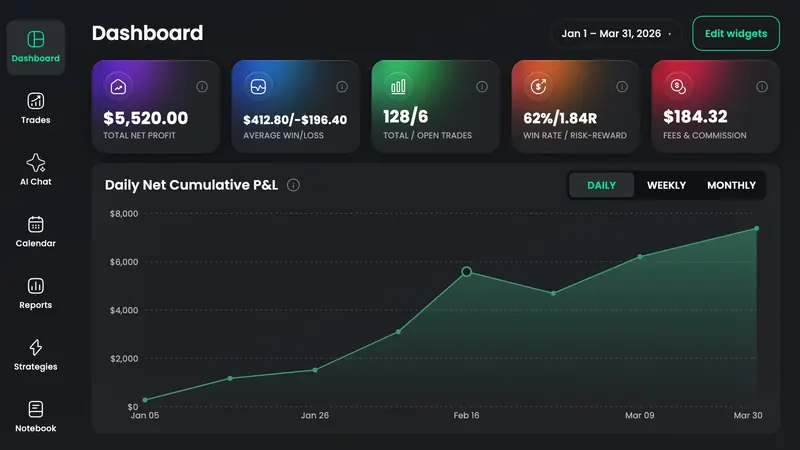
TradeReview’s Free plan is a working journal: one account, manual logging, Review Sessions, native iOS and Android, and a small AI Chat allowance on your trades — not a 30-trade demo. CSV/file import, option spreads, and extra accounts are Basic ($9.90/month or $99/year). Broker auto-sync is Pro ($19.90/month or $199/year). Check supported brokerages for the method your platform uses, and pricing for limits.
Pick this if you want to start without a card and upgrade only when typing fills is the bottleneck. Skip it on Free if you need import on day one.
TradesViz (generous free tier)
TradesViz is the usual “free but deep” pick. Basic is forever: about 3,000 executions per month, one account, and a large chart library — verify current caps. The catch that roundups skip: Basic is stocks only. Options, futures, forex, and crypto sit on paid plans. The other tradeoff is complexity. If you wanted a short review session, the UI can feel like a statistics lab.
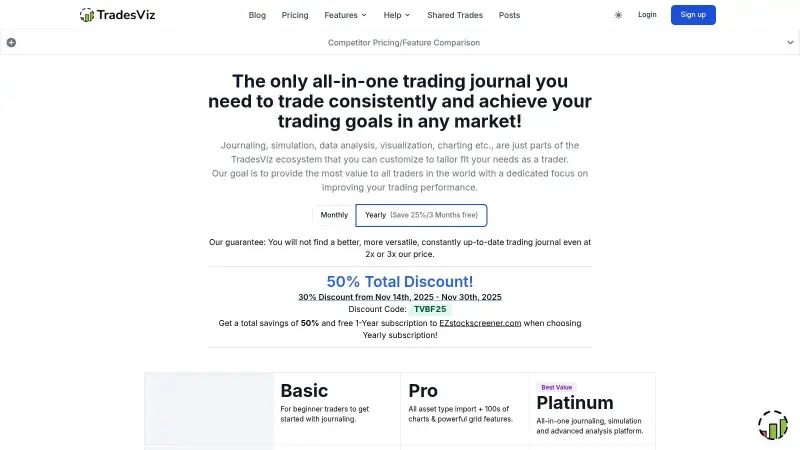
Pick it if you journal US stocks, enjoy slicing data, and will stay under the execution cap. Skip it on free if your book is options or futures — that is a paid plan, not a free journal. Paid comparison: TradesViz head-to-head.
StonkJournal (uncapped manual)
StonkJournal is the independent roundups’ “actually free” app: unlimited trades on manual entry, no card, no trial. Free covers stocks, options, futures, forex, and crypto, plus tags, a P&L calendar, and notes. CSV import and AI sit on Pro (about $10/month — confirm). There is no broker auto-sync on free; that is the point of the plan.
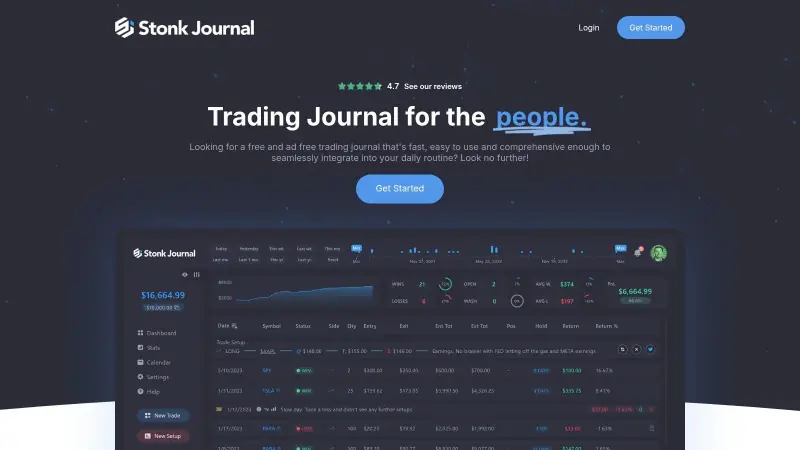
Pick it if you will type fills and want zero calendar cap. Skip it if import is the only reason you would leave a spreadsheet. Head-to-head: Stonk Journal comparison.
Tradervue and Trademetria (honest caps)
Tradervue is the veteran. The free plan is real and the importers are a reason people stay — but the monthly cap is small: 30 grouped trades per calendar month (executions that belong to one position count as one trade — confirm on their help page). Silver/Gold exist when you outgrow it. Best for a low-frequency US stocks trader who wants a proven desktop review, not for an active day trader pretending 30 positions is a month. Paid comparison: Tradervue head-to-head.
Trademetria is a clean web journal with a true free-forever plan and a similar ~30 imported orders/month ceiling. Fine for swing traders establishing the habit. Not a day-trader free tier.
Neither is “fake free.” They are capped on purpose. If your last month had 80 round-trips, these are trials with extra steps.
What’s not on this list
A 12-row trophy table usually pads with tools that are not free journals:
- Notion or a blank notes app — a database you still have to design. Fine as a scratch pad, not a substitute for fills, stops, and a review loop.
- A Google Sheet someone else branded as a “journal app” — still a spreadsheet. Use the Excel or Sheets templates instead of a wrapper with a waitlist.
- Crypto-only portfolio trackers — useful for wallets and CEX fills; they are not a general best free trading journal.
- Self-hosted open source — $0 software if you will run Docker and backups. Not $0 if you wanted a five-minute signup.
- 7-day full-product trials — paid journals with a clock. They belong on the how to choose page.
When to stay free, and when to pay
Stay on $0 until the habit exists. Pay when logging time or missing fields is the problem — not when a YouTube ad says you need AI.
- Stay on a sheet if you trade infrequently and your tags stay consistent.
- Stay on an uncapped free app if manual entry still takes five minutes and you reopen the review.
- Pay for CSV or sync when copy-paste is why you skip journaling. That decision belongs on the paid comparison, not here.
- Do not pay to unlock a dashboard you will not open. A journal you never review is still a log.
Frequently Asked Questions
What is the best free trading journal in 2026?
The best free one is the plan you will not outgrow in two weeks. If you take a handful of trades, a spreadsheet or a 30-trade tier is enough. If you trade daily, you need uncapped (or high-cap) logging plus a review loop — not a teaser.
Is a 30-trade free plan actually free?
Yes, with a ceiling. It is free for a swing trader. It is not free for a day trader. Read the cap before you import a year of history.
Is Excel still a good free trading journal?
Yes, if frequency is low and columns stay consistent. Use a template so every trade has a stop and a setup tag. Move to an app when fills are the chore. Details: Excel template and Google Sheets.
Do any free journals include broker auto-sync?
Rarely in a form you should bet the habit on. Most products paywall live sync. Start manual or with CSV; upgrade when that is the bottleneck. See supported brokers for how import versus sync usually splits.
Best free trading journal app vs this list?
This page is about plans and caps. If you specifically want iOS/Android workflow, use the free trading journal app guide — same products, different question.
Bottom line
The best free trading journal in 2026 is the one whose free tier still works as a journal after your real monthly volume. Classify the plan (forever, generous, capped, trial), then pick a sheet, an uncapped manual app, or a high-cap importer. Do not start with a 12-row trophy table.
When you want the fields in an app instead of a sheet, open the journal and log five real trades on the free plan before you think about paying. If you already know the instrument, skip the roundup and open stocks, options, futures, forex, or crypto.
This article is for education, not investment advice. Vendor limits change; confirm on their pricing pages. A free journal does not create an edge that is not there.