Does TradeReview support option spreads?
Yes. Option spreads are a first-class trade type on Basic and Pro, with per-leg strike, expiry, Call/Put, and size — including a stock leg when the structure needs shares. Tag them by strategy for the review.

Options
Single-leg calls and puts on Free; iron condors, verticals, and other multi-leg spreads on Basic and Pro — with per-leg strike, expiry, and Call/Put, then a report built for DTE and expiration month.
Free forever planNo cardWeb, iOS & Android
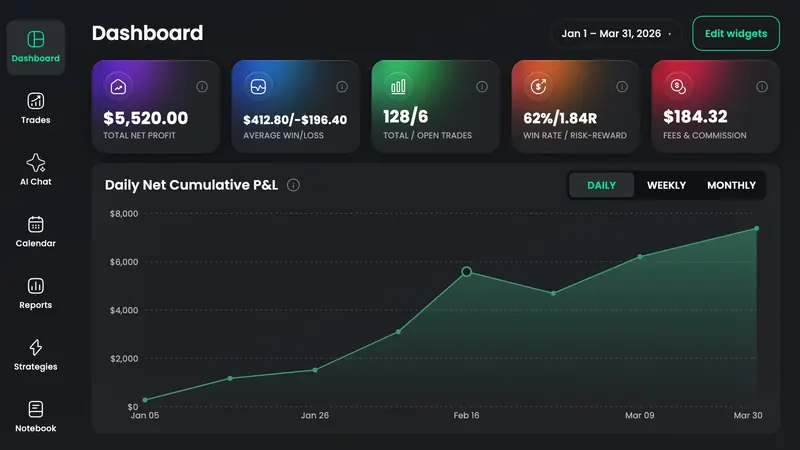
An options trading journal records each options structure as one trade — underlying, strategy, expiration, strikes, premium, fees, and a management note — including multi-leg spreads with every leg’s side and size. TradeReview journals single-leg calls and puts on Free, option spreads on Basic and Pro, a dedicated Options report (Call vs Put, DTE at entry, expiration month), file import on paid plans, and Alpaca or cTrader Auto Sync on Pro. It does not run an options chain simulator or a live Greeks engine; put IV and delta notes in the trade comments if you need them.
Option Spread on Basic and Pro stores each leg’s strike, expiry, Call/Put, and size — including a stock leg when the structure needs shares.
The Options report splits results by contract type, days to expiration at entry, and expiry month so 0DTE is not mixed with 45-DTE credit spreads.
Tag bull put, iron condor, covered call, long call — then P&L groups by playbook, not only by SPY or QQQ.
Credit received, debit paid, and fees sit on the trade so win rate and profit factor reflect what actually hit the account.
Daily P&L and notebook notes for the week you are short gamma — not a generic session diary copied from the stock page.
No chain simulator, no auto-Greeks. If you need IV rank or delta at entry, type them in the notes. The journal’s job is structures, tags, and review.
Single-leg options go in by hand on Free. On Basic or Pro, use Option Spread for multi-leg executions, or import from Webull, TradeZero, or generic CSV.
Tag the strategy and add a one-line management note (held to expiry, rolled, stopped). Same underlying, different structure, different stats.
Open Call/Put, DTE, and expiration-month views. Keep the structures whose profit factor survives fees; stop selling the week that only wins in memory.
Naked calls and puts are free to type. Multi-leg spreads, file import, and Auto Sync are what you pay for.
File / CSV import
Basic and Pro · upload an export
Every options-market broker TradeReview lists today. Import method varies by broker — the brokers page shows whether yours uses file import or Auto Sync.
Yes. Option spreads are a first-class trade type on Basic and Pro, with per-leg strike, expiry, Call/Put, and size — including a stock leg when the structure needs shares. Tag them by strategy for the review.
Call versus Put, days to expiration at entry, and expiration month. Use it to see whether 0DTE, weekly, or monthly expiries actually pay after commissions.
No. There is no live Greeks or IV engine. Record delta, theta, or IV rank in the trade notes if those numbers matter to your process. The app’s options-specific views are Call/Put, DTE, and expiration month.
Yes. An option spread can include a stock leg, and you can keep equity trades in the same journal and filter when you want options-only stats.
Before the trade
Defined-risk size for the vertical or condor you will log after the close — not a stock share-count.
Still deciding
How TradeReview’s spread logging and DTE report sit next to TradeZella and TradesViz — prices as of September 2026.
IB, Webull, and TradeZero imports — day trades and swings in one book.
Open →ES/NQ multipliers, Tradovate and Topstep uploads, RTH vs overnight.
Open →Lots, swap, MT5 Auto Sync, London open vs NY overlap.
Open →24/7 calendar and a leverage field. No Binance or Bybit sync yet.
Open →A first-class trade type alongside every other market.
Open →Single legs are free. Add spreads and import when Excel starts breaking on rolls.